Product release notes – May 2026: Surveys, Diagrams, and More
A brand-new survey tool with AI creation, a new diagram slide type, a refreshed editor layout, improved presenting controls, and a built-in referral programme. Here’s everything that shipped in May.

📋 AhaSlides Survey: Build and share surveys with AI
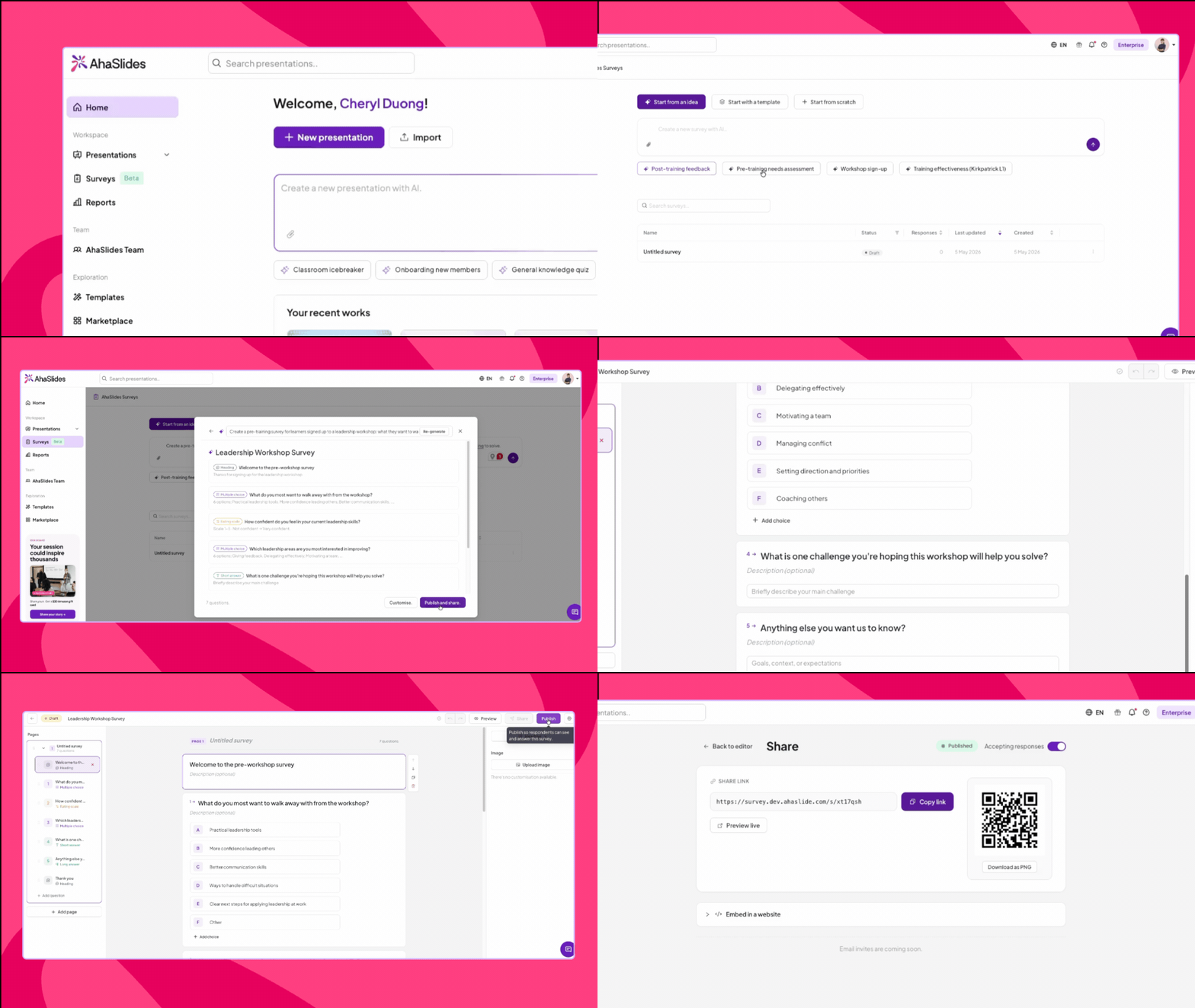
- Create with AI — describe what you need in the prompt box and AI generates a full survey with questions, question types, and answer options. Suggested prompts are available if you need a starting point. Review the preview, then publish directly or hit Customise to tweak first.
- Start from a template — browse a library of ready-made surveys, preview all questions before committing, then publish or customise to fit your needs. Featured templates are also pinned on the survey list page for quick access.
📊 Diagram slide: Visualise structure without leaving your presentation
Complex ideas often need structure to land well. The Diagram slide lets you build flow and network diagrams directly inside AhaSlides — no need to export from an external tool or switch apps mid-session.
The vibe check: Add nodes, connect them, choose your diagram type, and optionally animate the edges. Your diagram sits natively in the presentation, ready to step through with your audience.
What’s new: Diagram is a new slide type in the slide picker. Choose from multiple diagram types (flow, network, and more), edit nodes directly from the right panel, and set streaming edge animations at Slow, Medium, or Fast speed — or keep them off. The Slides AI agent can also generate Diagram slides from a prompt.
Why this matters: Useful for explaining processes, org structures, system architecture, or decision flows — without leaving the presentation or relying on screenshots.
🤝 Microsoft Teams add-in: Back on Microsoft AppSource
The AhaSlides Microsoft Teams add-in is live again on Microsoft AppSource, following a brief pause caused by a Microsoft platform update.
What’s new: The add-in is restored and available in AppSource. This version also includes a joint G2 rating, making it easier for Teams users evaluating AhaSlides to find peer reviews alongside the listing.
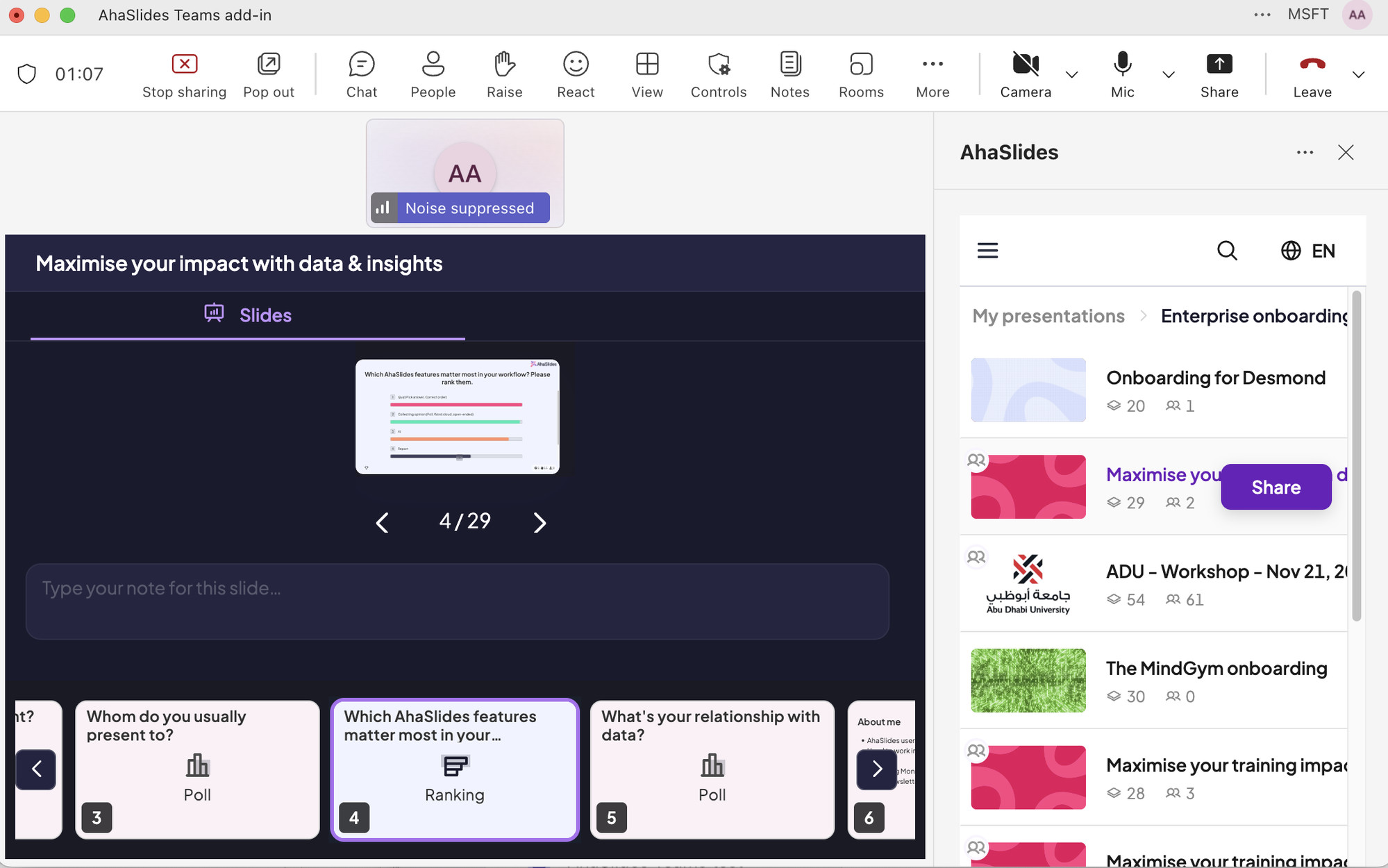
Why this matters: Teams is one of the most common environments where AhaSlides is used. Full AppSource availability means IT-managed Teams deployments can install the add-in through the standard approval process.
📖 Help Centre article: Using the AhaSlides App on Microsoft Teams
🎨 Design & control updates: A cleaner editor and smarter presenting
Two quality-of-life improvements landed this month — a visual refresh to the editor sidebar, and more control over your screen during a live session.
Left Sidebar Redesign: The left sidebar in the Presenter App editor has been refreshed with a cleaner layout and improved visual hierarchy. The sidebar feels lighter and easier to scan, with all existing navigation and functionality staying exactly in place. A visual update, not a structural one.
Minimise popups while presenting: The Submission Closed and Results Hidden popups now support a minimise option. Trigger a countdown or hide results, then collapse the popup so your slide content stays fully visible — restore it whenever you need to take action. Particularly useful on smaller screens or with content-heavy slides.
🔗 In-app Referral Programme: Share AhaSlides, earn rewards
AhaSlides now has a built-in referral programme — fully integrated into the Presenter App so the path from “share with a friend” to “friend gets a discount” is clear and unambiguous.
The vibe check: Veteran users see a referral entry point in the Presenter App. Share your link, and your referee gets 30% off their first purchase. You earn a reward when they convert. No confusion about where the discount came from.
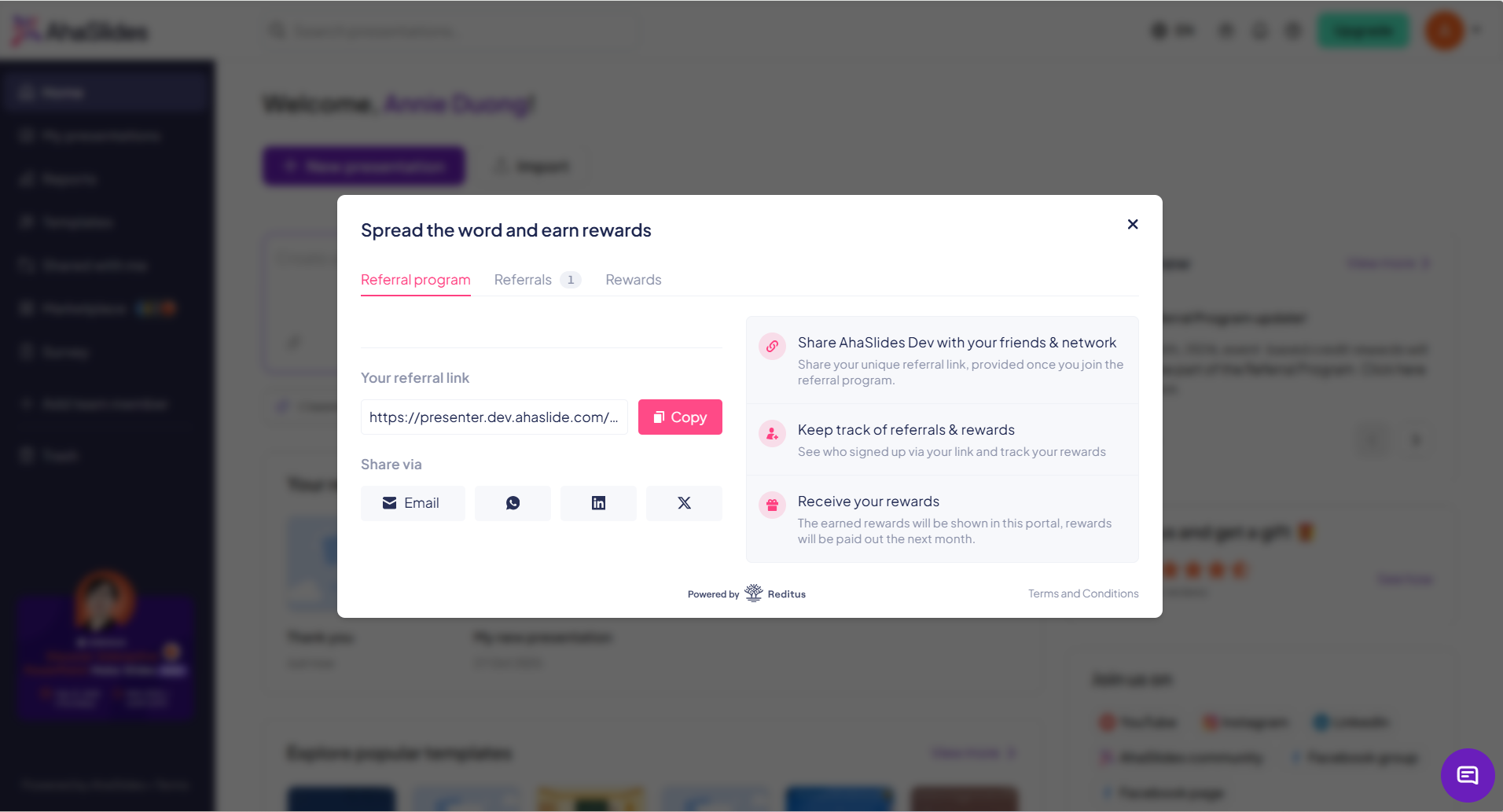
What’s new: The referral programme (powered by Reditus) replaces the previous Refer-a-Friend scheme. The entry point is prominent for experienced users but stays out of the way for people still setting up their first presentations. Referee discount rates and eligible purchases are configurable, so the programme can be adjusted without a new release.
Why this matters: Word-of-mouth is a strong growth driver. A clear, in-app referral flow makes it easier for happy users to share — and easier for new users to take the step to upgrade.
📖 Help Centre article: Refer your friends to AhaSlides
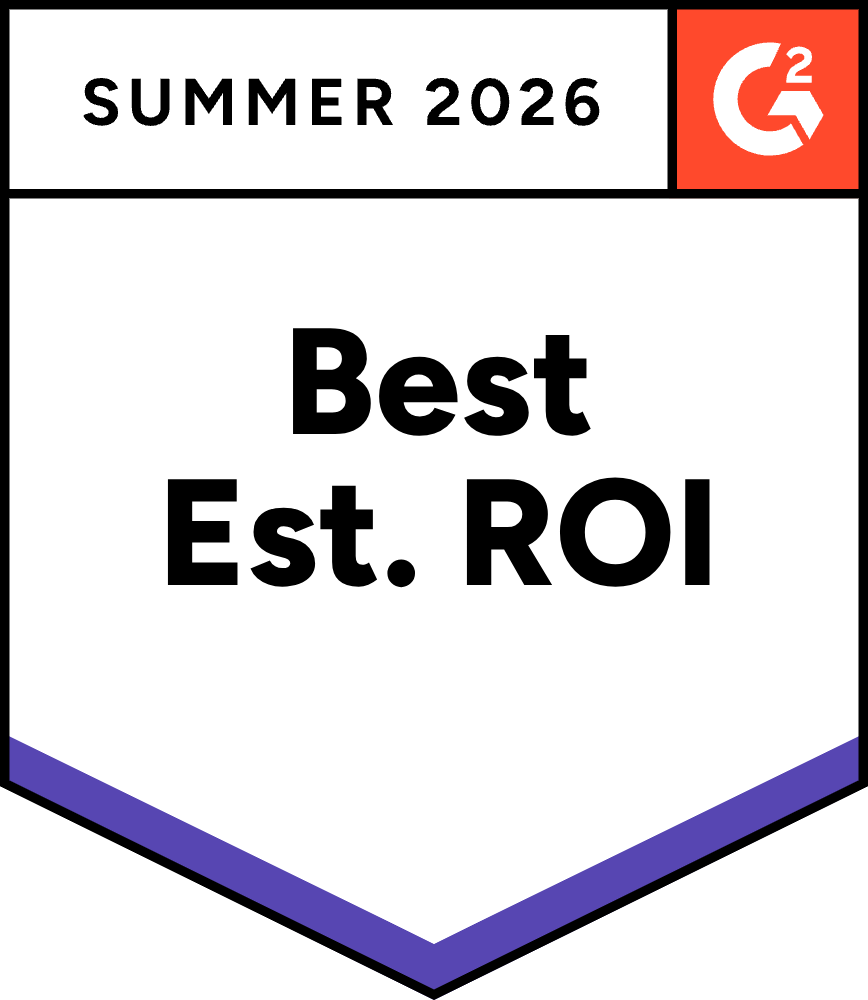
🏆 G2 Summer 2026: 139 badges
AhaSlides earned 139 badges in the G2 Summer 2026 season — across 10 categories including Presentation, Survey, Employee Engagement, Gamification, and Assessment.


Highlights:
Leader — Overall, Europe, Small Business, Mid-Market
Regional Leader — Europe, EMEA, Asia Pacific, Southeast Asia
Best Estimated ROI — Overall, Small Business, Mid-Market, Enterprise
Fastest Implementation — Mid-Market and Enterprise
Easiest Setup, Easiest Admin, Momentum Leader, Users Love Us
Thank you to every user who took the time to leave a review. These results reflect the community’s trust in AhaSlides — and they push us to keep improving.